

What’s new with LoopLeaf
News
Here I share what’s new with LoopLeaf, from new features and app updates to the little things taking shape behind the scenes.
-
- iOS
- Android
- Update
- New features
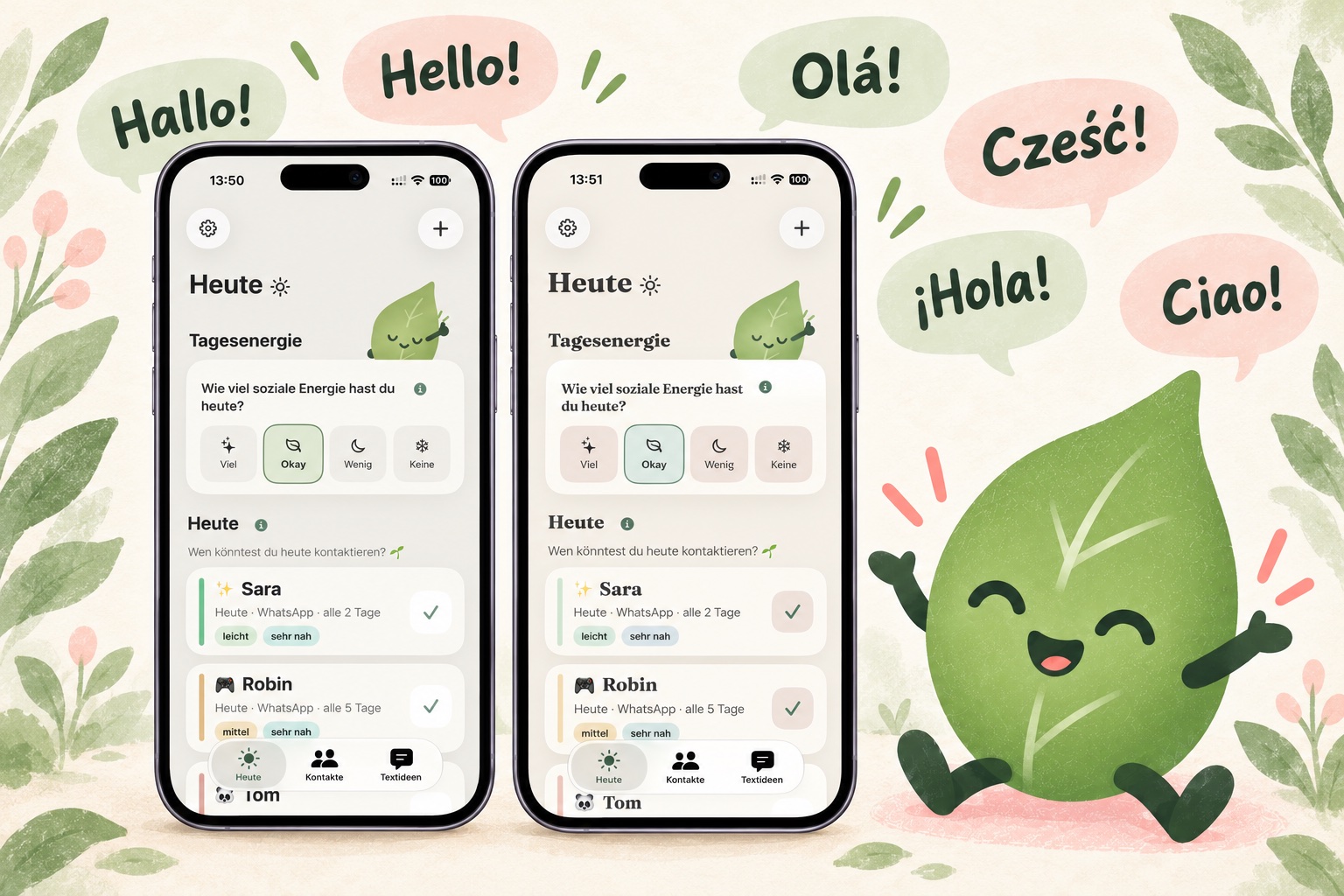
LoopLeaf has a new look and now speaks six languages
With LoopLeaf 1.4 for iOS and Android, the app is now available in English, Spanish, Brazilian Portuguese, Italian, and Polish, alongside German.
The built-in message ideas are available in all six languages too. You can choose their language separately from the app’s language. You can also save your own message ideas in other languages. So you can use the languages that help you feel connected to the people who matter to you.
There are more reminder options to choose from as well. The existing personalized contact suggestions are now called “Personal · Gentle” and have been refined to give a little more priority to people you’re close to and contacts that take less energy. The new “Personal · Random” option gives each contact a turn, working through them in a shuffled order.
There’s a new look, too. Alongside “LoopLeaf Classic,” you can now choose “Almond Blossom,” which combines warm cream with soft almond pink, sage green, and gentle serif headings. The app icon has also been refreshed, with an updated look for iOS 27.
The little LoopLeaf now accompanies you throughout the app with thoughtfully crafted animations. It reflects your daily energy, helps you search, sends your messages on their way, and celebrates completed days and birthdays with you.
More ways to make LoopLeaf feel right for you. In your language, at your own pace.
-

- iOS
- Android
- Update
- New features
More personal reminders and a tidier contact history
The latest LoopLeaf update makes your contact history easier to browse. You’ll see your five most recent entries first, with the option to expand older entries and hide them again whenever you like. Everything stays saved, while the details screen feels less cluttered.
In settings, you can now choose between general reminders and personalized suggestions for who to reach out to. If you choose personalized suggestions, LoopLeaf can remind you of someone you might like to reach out to today. Suggestions take into account the energy involved, how close you are, your chosen contact interval, and when you last connected. When several contacts are equally suitable, the app varies its suggestions to give each one a fair turn.
All the information used for these suggestions is processed locally on your device. These features are available in LoopLeaf 1.3.1 for iOS and LoopLeaf 1.2.1 for Android.
-

- iOS
- Android
- Update
- New features
New in LoopLeaf: sharing, search, birthdays, and a contact archive
Your feedback has helped shape the latest additions to LoopLeaf. With the new share button, you can send message ideas straight to messaging apps and other apps, without copying them first. Search makes it easier to find the person you’re looking for. You can also add birthdays to your contacts. If someone’s birthday is today or tomorrow, you’ll see a reminder on the Today screen.
There’s also a new contact archive. If you’d like to pause reminders for someone, you can archive their contact. They won’t appear on the Today screen while archived, and you can make them active again whenever you like.
-

- Android
- Google Play
- Release
- Dark mode
LoopLeaf is now available on Android
LoopLeaf is now on Google Play, with dark mode included from the start. You can stay connected with the people who matter to you on Android too, with gentle reminders, message ideas, and room for days when you have less energy. Choose your daily energy level or take a pause day whenever you need one. Your data stays on your device.
-

- iOS
- Update
- Dark mode
Dark mode comes to LoopLeaf on iOS
LoopLeaf now has a dark mode on iPhone. It offers a softer look for quiet evenings and darker surroundings, while following your display preferences. The familiar warm, welcoming design is still there, just in darker colors.
-

- iOS
- App Store
- Release
LoopLeaf is now on the App Store
LoopLeaf officially launched on iOS on May 28, 2026. It’s the first big milestone for the app: a gentle way to stay connected with the people who matter to you, right on your iPhone. No pressure, no guilt, and your data stays on your device.


